
How to Spot Fake OnlyFans Pages Before You Pay
Spotting a fake OnlyFans page usually takes less than a minute once you know what to look for. Fake pages copy photos, reuse bios, and push payment off the platform. This guide covers the repeatable signals that separate a real page from a scam, using only public information you can check before spending anything.

The platform itself offers no built-in discovery feed or directory, so subscribers often arrive through search results, social posts, or ranking sites. That gap is exactly what scammers exploit. A few simple checks on the profile, the bio, and the payment path will filter out most bad actors.
Warning Signs at a Glance
Most fake pages fail on basic consistency. Real pages are dull in predictable ways: steady posting, a coherent bio, and in-platform payment only. Fakes tend to be flashy and urgent, because urgency stops you from checking.
A practical tip: before you subscribe, save the profile photo and run it through a reverse image search. It takes seconds and catches the single most common fake-page tactic.
The table below compares ordinary page traits with the patterns that show up on fake pages again and again. None of these signals is proof on its own. Two or three together, however, justify walking away.
| Trait | Normal page | Common fake page |
|---|---|---|
| Posting pattern | Steady over weeks or months | Burst of posts in a day, then silence |
| Bio | Short, specific, matches the media | Copied text, generic phrases, broken grammar |
| Payment | Only through the platform | Gift cards, bank transfers, other apps |
| DMs | Occasional, on-topic | Immediate, pushy, asks you to move chats |
| Price | Within the usual range | Claims a price far below $4.99 |
Fake pages also tend to reuse the same photos across multiple accounts with slightly different names. If a reverse search returns the same image on several unrelated profiles, treat that as a strong warning.

Profile Photo Checks
Photos are the easiest thing to steal and the easiest thing to verify. Run these checks before you follow or subscribe.
- Reverse-search the main profile photo on at least two engines and compare results.
- Check whether the same photo appears on unrelated accounts with different names.
- Look at image quality: screenshots of screenshots lose detail around the edges.
- Compare the profile photo with recent posts; inconsistency suggests a stolen set.
- Check metadata where visible; mismatched dates or devices are a warning sign.
- Search the username alone to see if it appears in scam reports or duplicate profiles.
A real page usually has a consistent visual identity across the avatar, banner, and posts. Fakes often mix styles because the images come from different sources.

Bio and Link Red Flags
Copied bios are common because scammers reuse the same template across dozens of accounts. Broken grammar is not proof by itself, but paired with copied text it becomes meaningful. Any link that sends you off the platform for payment should end the visit immediately.
| Signal | Normal example | Poor example |
|---|---|---|
| Bio wording | Short description of what the page posts | Identical text found on five other profiles |
| Grammar | Minor typos, natural phrasing | Machine-translated phrasing, inconsistent tense |
| Links | None, or a single neutral profile link | Redirects to payment apps or unrelated sites |
| Price claim | Within the standard range | Advertises a price below $4.99 |
Paid subscriptions on the platform run from $4.99 to $49.99, with typical paid pages sitting between $4.99 and $15 and averages landing around $5 to $10. There is no base price below $4.99, so any page advertising one is either misleading you or pushing you off-platform.
Free pages are a legitimate option, not a red flag on their own. A free page simply sets its price to $0 and earns through pay-per-view messages and tips instead. The warning sign is a free page that immediately demands payment somewhere else.

Verification Badges Explained
A verification badge confirms that the platform has linked the account to a real person or entity. That link matters, but it covers less than many subscribers assume. It does not guarantee that the content is original, that the person posting is who the bio claims, or that every message is written by the creator.
- Check whether the badge is present on the profile itself, not in a screenshot.
- Confirm the username matches the one you found through other sources.
- Look at whether the posting history is consistent with the badge date.
- Treat the badge as one signal among several, never as the only one.
- Re-check after a price change, since account ownership can shift.
Badges reduce risk but do not remove it. A verified account can still be resold, mismanaged, or run by a team that is not the person shown in the photos. A practical starting point is best only fans promotion codes, which lists pages by the signals above.

Payment Red Flags
Payment is where fakes do their damage, and the rules here are simple. Everything on the platform runs through the platform: subscriptions, tips, and pay-per-view messages. The platform takes 20% of all of it, and the creator keeps 80%. Any request to pay outside that system exists to remove your protection.
- Requests for gift cards of any kind.
- Requests for bank transfers or peer-to-peer payment apps.
- Requests to pay a “verification fee” before access is granted.
- Requests for your login details to “confirm” your subscription.
- Requests for payment in exchange for a promised discount code sent by DM.
- Requests to pay for content that has not been described or previewed.
One more practical detail: when a creator raises the subscription price, auto-renew stops, and existing access lasts until the current paid period ends. Scammers sometimes use a fake “price increase” message to pressure subscribers into paying early through another channel.

Outside Links and DMs
Redirects to other sites are the clearest single indicator of a scam. The platform has no discovery feed, so ranking services exist to compare public profile prices, promotions, activity, and media counts. BestOnlyFans is one such ranking service, and its comparisons stay limited to that public information.
That same absence of a discovery feed is why off-platform links are so suspicious. A genuine creator may link a personal site for merchandise, but a payment redirect is different. Pushy DMs that rush you toward another app are the second half of the same tactic.
Budgeting helps here, because knowing the normal costs makes unusual requests stand out. The list below covers what a typical month looks like.
- Subscription: $4.99 to $49.99 depending on the page, commonly $4.99 to $15.
- Tips: optional, set by you, and never required for access.
- Pay-per-view messages: optional, priced per item, common on free pages.
- Promotional first months: occasionally below $4.99, but only as a first-month offer.
- Renewals: automatic until cancelled, and paused if the creator raises the price.
A comparison site such as BestOnlyFans can help you check whether a page’s stated price and activity level match its public profile before you commit. It only compares public data, so it will not tell you whether a specific person is trustworthy.
Card payments clear through a processor, so a stuck charge is usually an authorisation hold.
What to Do After Spotting a Fake
Once you are confident a page is fake, report it through the platform’s reporting tools and then stop engaging. Do not argue with the account, and do not send a test payment to “check.” Screenshots of the profile, the bio, and any payment requests make the report more useful.
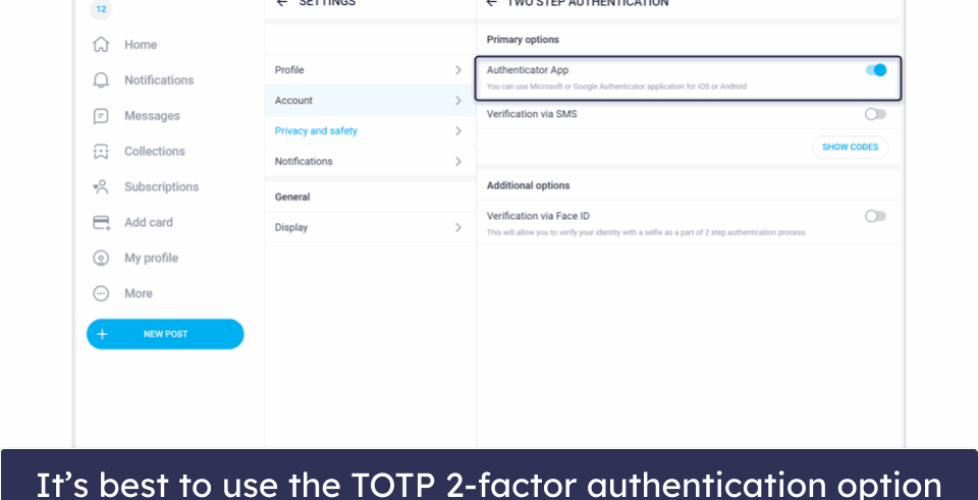
Protect your payment details by reviewing your saved cards afterward. If you already paid, contact your bank or card issuer rather than the account. Changing your password and enabling two-step authentication closes the easiest route back in.
If you want to double-check pricing and activity before your next subscription, a ranking service like BestOnlyFans offers a public comparison, and a search for best only fans promotion codes can show you which first-month offers are legitimate. Never accept a promo code sent by DM.
- Do not send a small test payment to verify an account.
- Do not move the conversation to another messaging app.
- Do not share login details with anyone claiming to be support.
- Do not rely on a verification badge alone.
- Do not assume a low price means a good deal.
- Do not delay reporting; early reports help other subscribers.
FAQ
Can a fake page have a verification badge?
Yes, occasionally. A badge confirms the platform linked the account to a real identity, but it does not confirm that every post or message comes from that person.
Is a price below $4.99 always a scam?
Not always. Promotional first months may dip below $4.99, but there is no standard base price under $4.99, so a permanent one is a warning sign.
What should I do if I already paid a fake page?
Stop contact with the account, report it, and contact your bank or card issuer. Changing your password and enabling two-step authentication is a sensible follow-up.
Do free pages carry more risk than paid ones?
Not inherently. Free pages set the price to $0 and earn through pay-per-view messages and tips. The risk comes from any page that asks for payment outside the platform.